
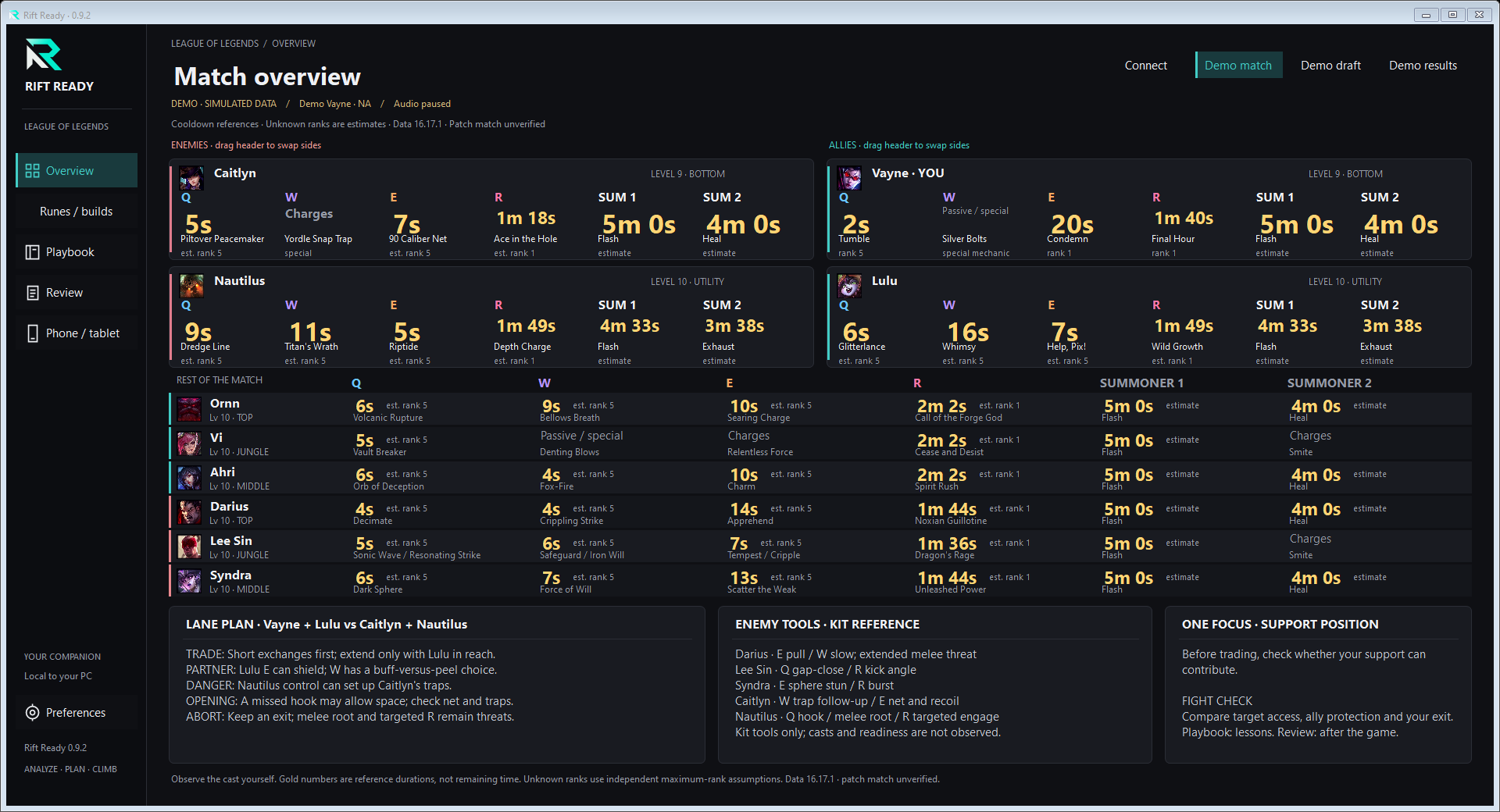
A plan for your lane
See your lane pairing, partner tools, and enemy threats together. Missing roles and unreviewed matchups stay clearly labeled.
ANALYZE · PLAN · CLIMB
Draft guidance, game overlays, and final match stats.
On your second monitor—or a phone or tablet beside you.
A LITTLE CONTEXT. A CLEARER NEXT MOVE.
Prepare in champion select, keep references in view during play, and review the final scoreboard after the match.
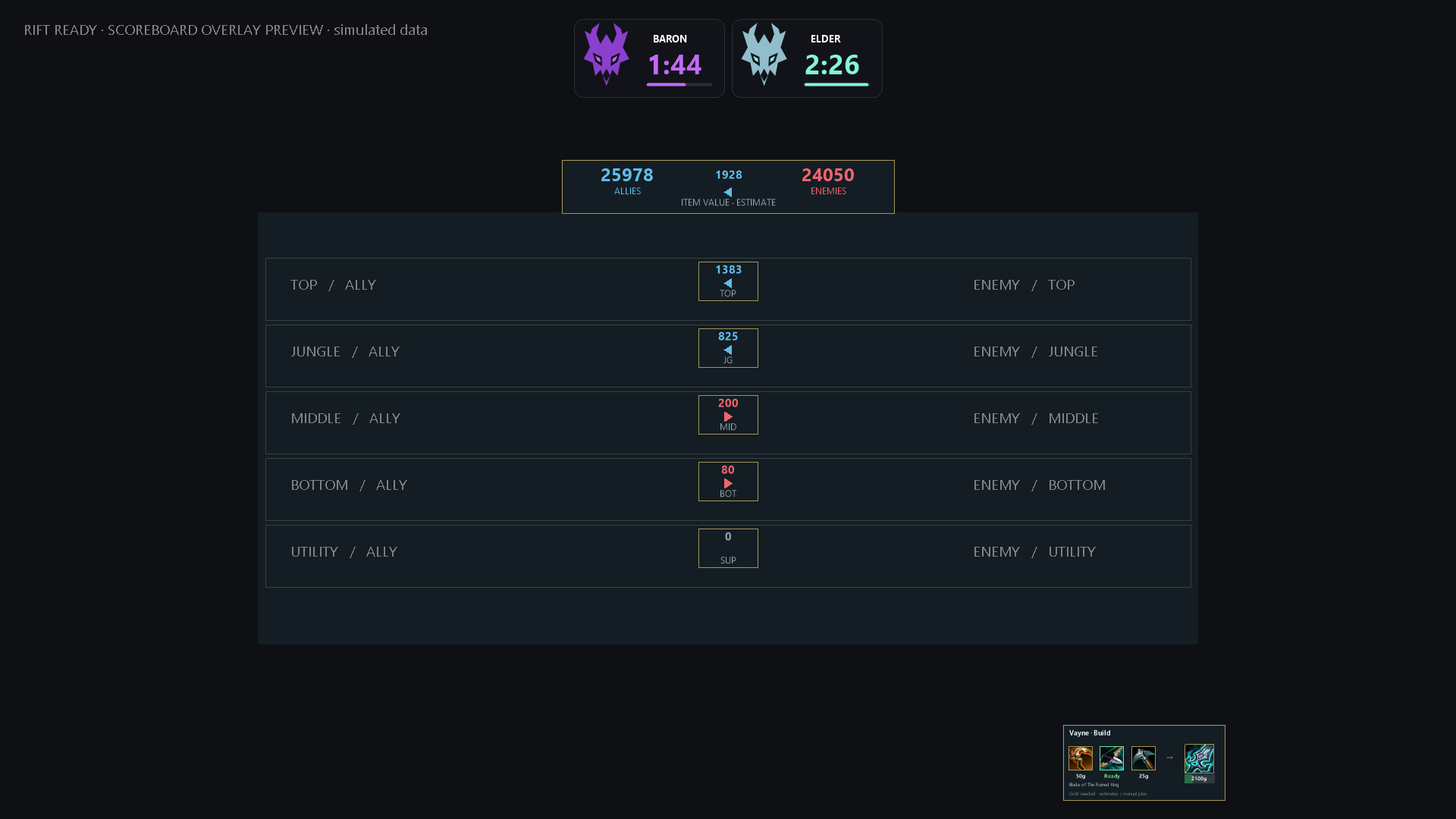
Optional overlays add scoreboard inventory-value differences, item purchase progress, personal stats and fixed Baron/Elder duration cards to borderless or windowed League games.
 ACTUAL APP · DEMO PREVIEW
See your lane pairing, partner tools, and enemy threats together. Missing roles and unreviewed matchups stay clearly labeled.
Optional jungle-awareness reminders, enemy respawn notices, and timing sounds. Pick the cues that work for you.
Choose a training focus before queueing. After the game, save a short reflection and revisit it whenever you need.
Ability cooldowns are reference durations, never remaining time. No enemy cast tracking or live spell-readiness claims.
Existing player overview, rank history and review data remain local. Riot API profiles and the live Diamond+ feed remain in development and are not connected.
NO SECOND MONITOR? NO PROBLEM.
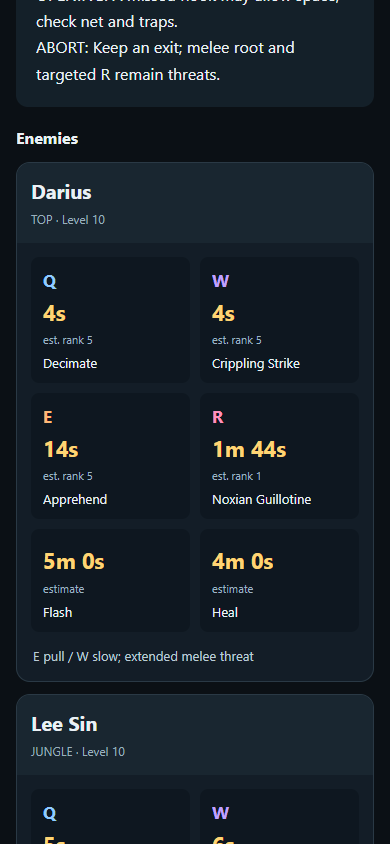
Keep Rift Ready running on your gaming PC and open its companion dashboard in your phone or tablet’s browser. No separate mobile app to install.
Sharing is off at launch. Stop sharing disconnects devices. Account names, review notes and League credentials stay on the PC. Connection requirements below ↓
LESS SETUP. MORE LEAGUE.
No account to create. No dashboard to configure before you can try it.
Download for WindowsView requirementsRun the Windows installer. Minimum: Windows 10 (64-bit, Intel or AMD) and .NET Framework 4.8.
Use a second monitor, or pair a phone or tablet from Preferences → Phone / tablet.
The app detects your local League client. Or choose Demo match to explore it before playing.
BEFORE YOU DOWNLOAD
Rift Ready is an early reference app. Here’s what to expect.
MAKE ROOM FOR A BETTER HABIT